如何下载与启用Google Authenticator 2FA?币安设置Google Authenticator保护
Google Authenticator是一种增强账户安全性的方法,它通过要求用户在登录时输入密码和由手机应用生成的一次性动态验证码来提高安全性,每30秒验证码都会自动更新一次,即使密码被盗,攻击者也无法在没有验证码的情况下访问账户,Google Authenticator让账户的安全性大大提高。

Google Authenticator 2FA是什么?
Google Authenticator是Google开发的一款免费的验证工具,它可以为账户提供两步验证(2FA),增加安全性,核心功能是生成一个6位数的一次性密码(OTP),该密码每30秒更新一次,各大平台和加密货币交易所都在使用这个验证机制,Google、Instagram、Twitter、币安、OKX等,它是保护账户安全的常用方法。
如何下载并启用Google Authenticator?
下载安装
下载并安装Google Authenticator应用,可以在iOS的App Store和Android的Google Play商店中找到它。
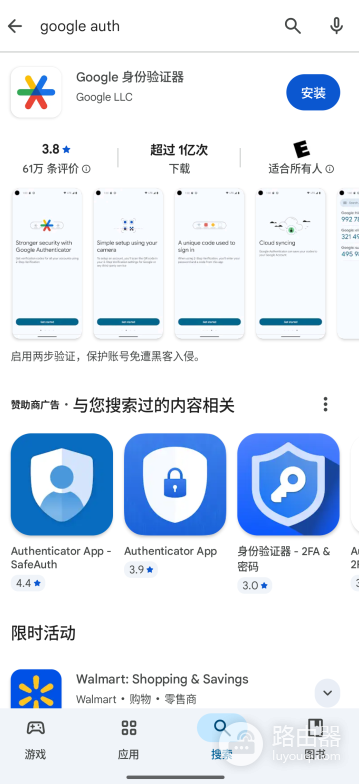
开启应用
Google Authenticator现已支持云端同步功能(登录Google账号后可自动备份验证码),为更高安全性,尤其是绑定加密货币交易所等高价值账户时,建议优先使用离线模式(不登录Google账号),数据仅保存在本地设备,开启云端同步虽换机更方便,但存在额外风险,需自行权衡。
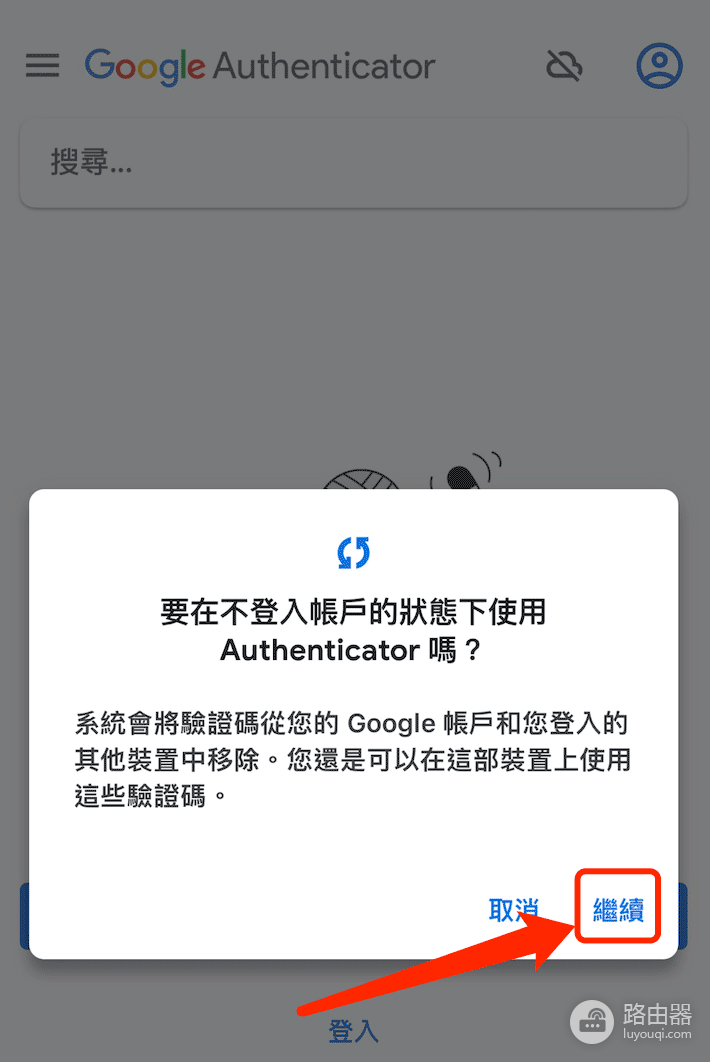
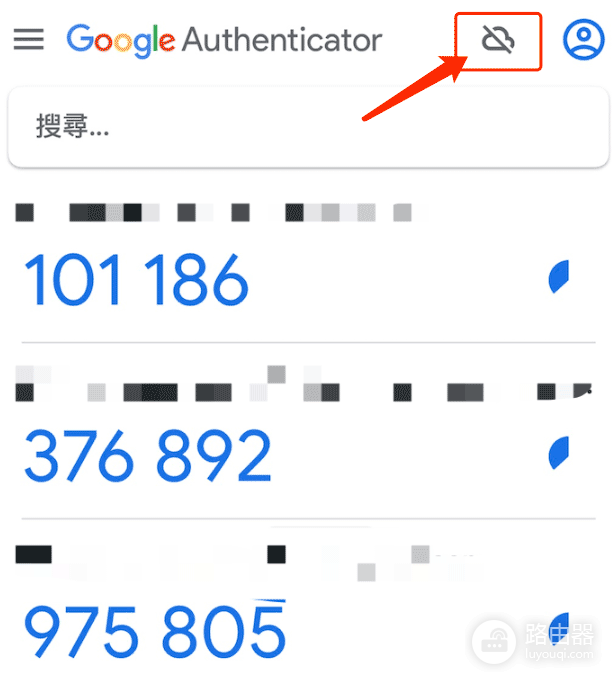
关闭“云端同步”功能后,你的Google Authenticator数据将不再同步至云端。
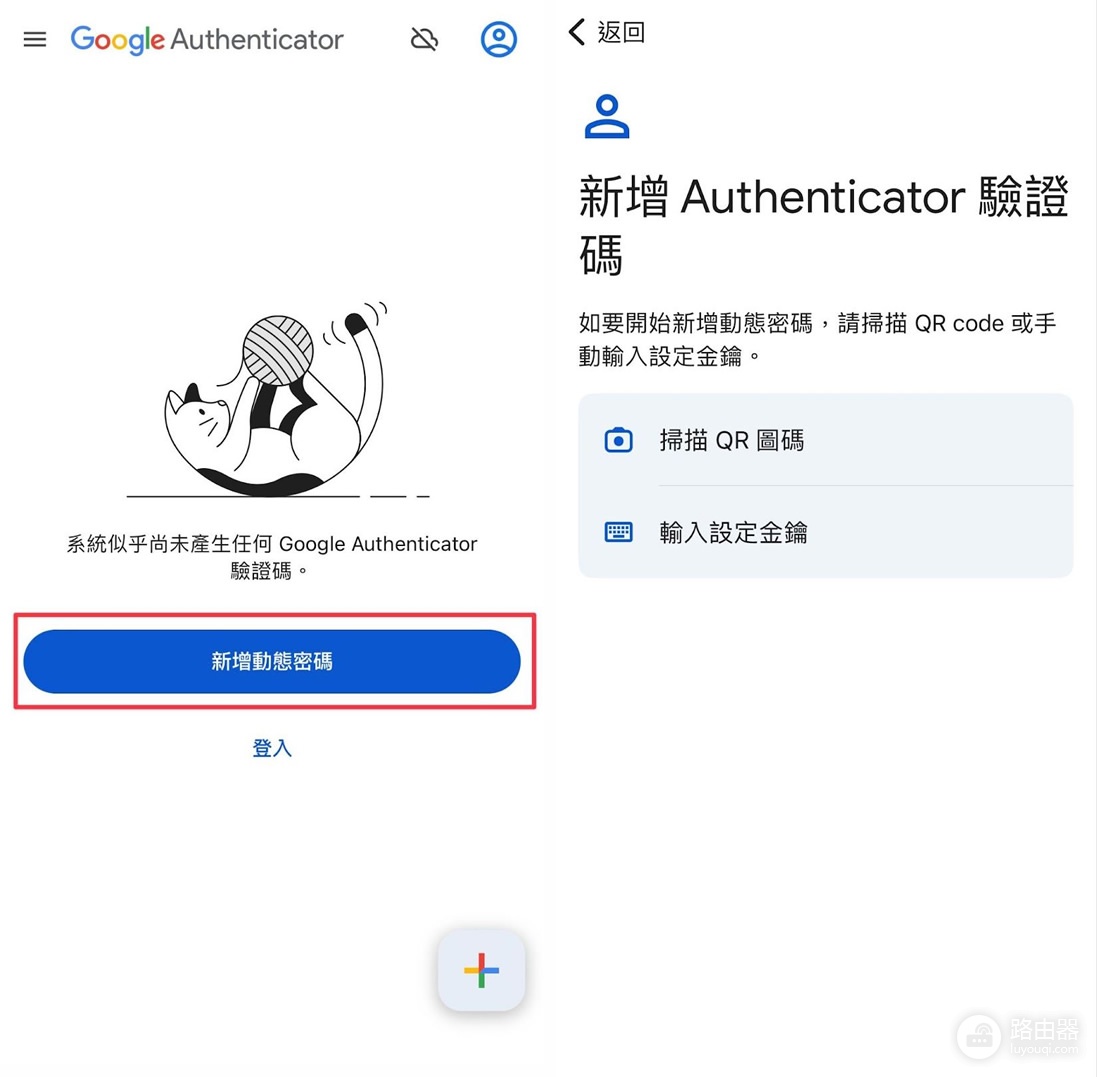
添加验证方式
可以通过扫描二维码或手动输入密钥来设置验证。
以币安为例,添加验证码
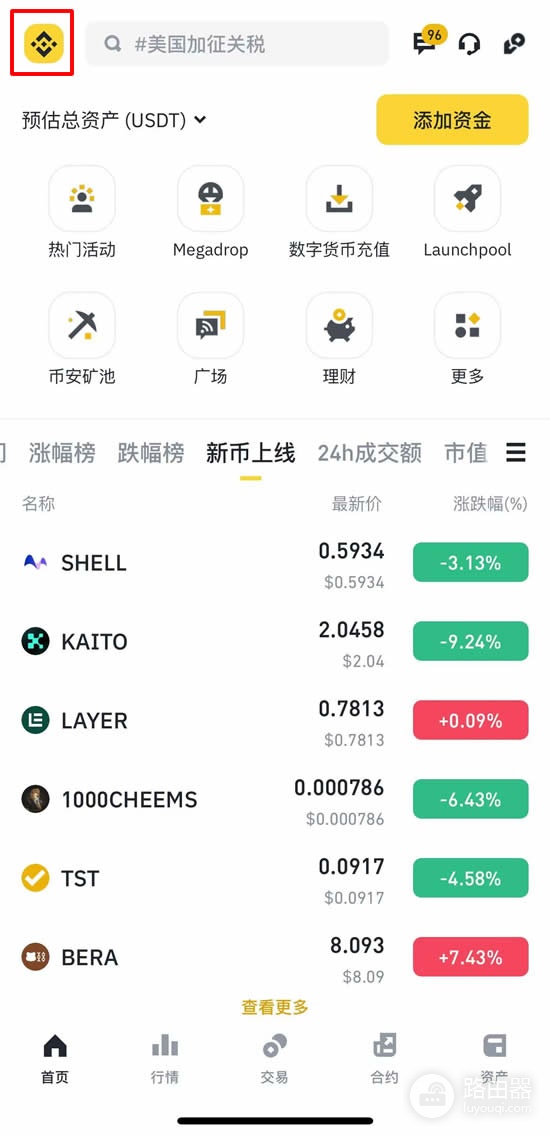
打开币安App,点击左上角的币安图标。
点击账户图标旁的小箭头,进入账户设置。
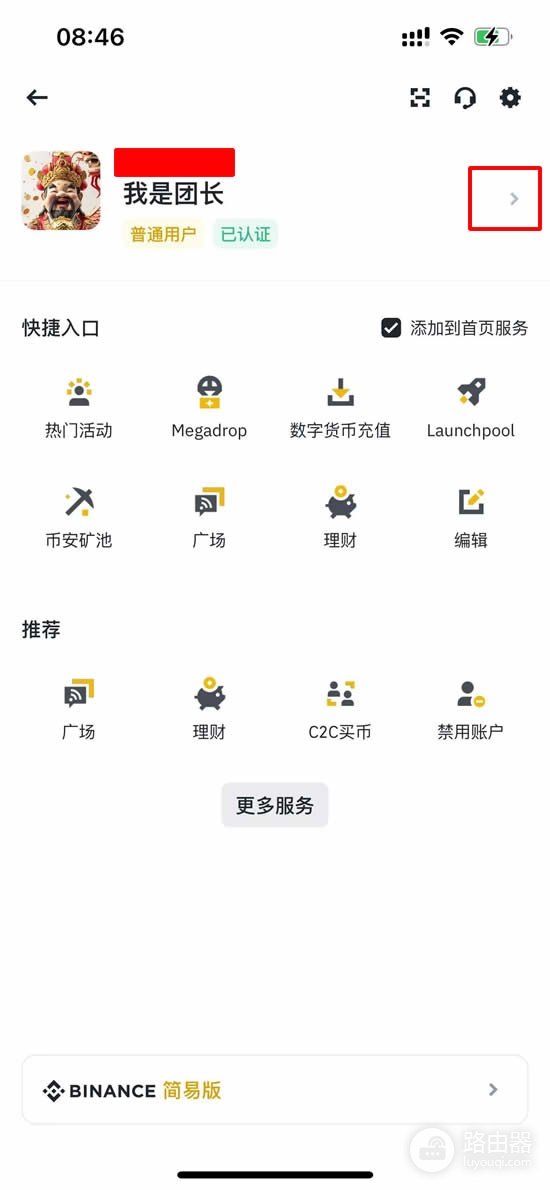
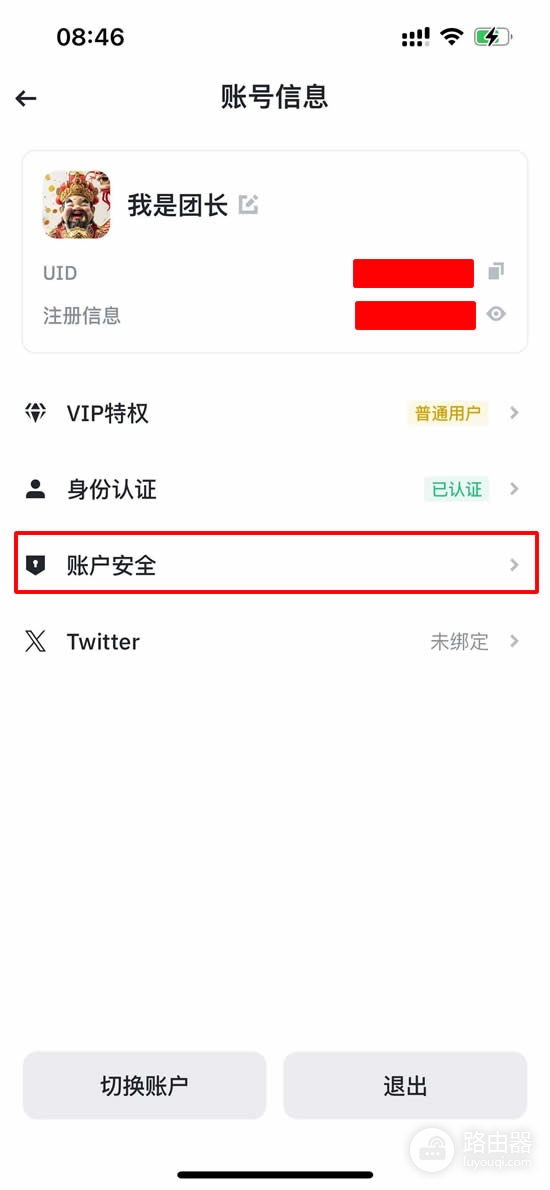
选择【账户安全】。
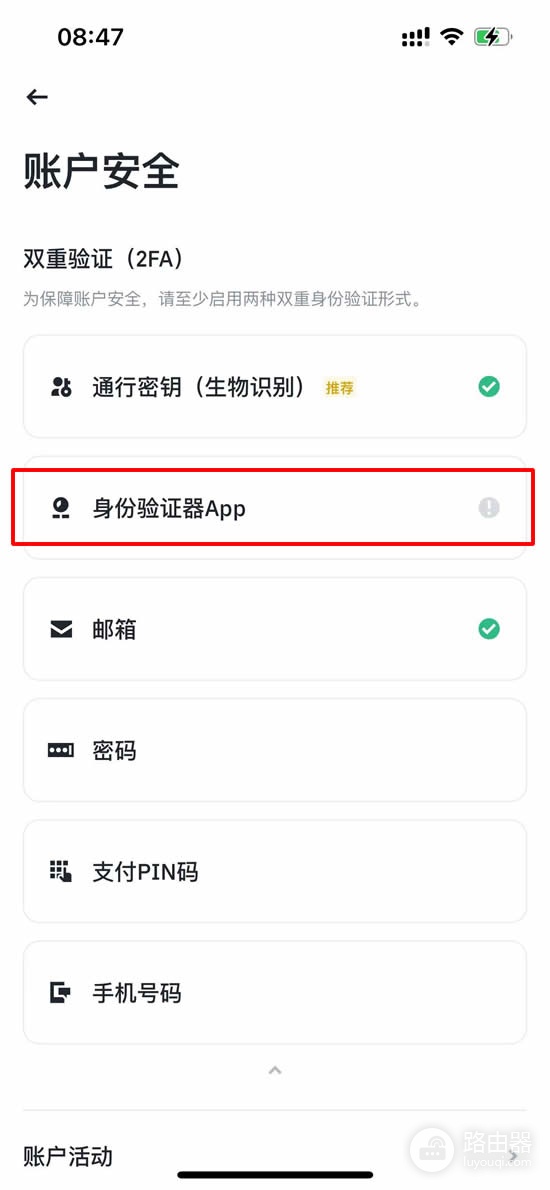
点击【身份验证器App】。
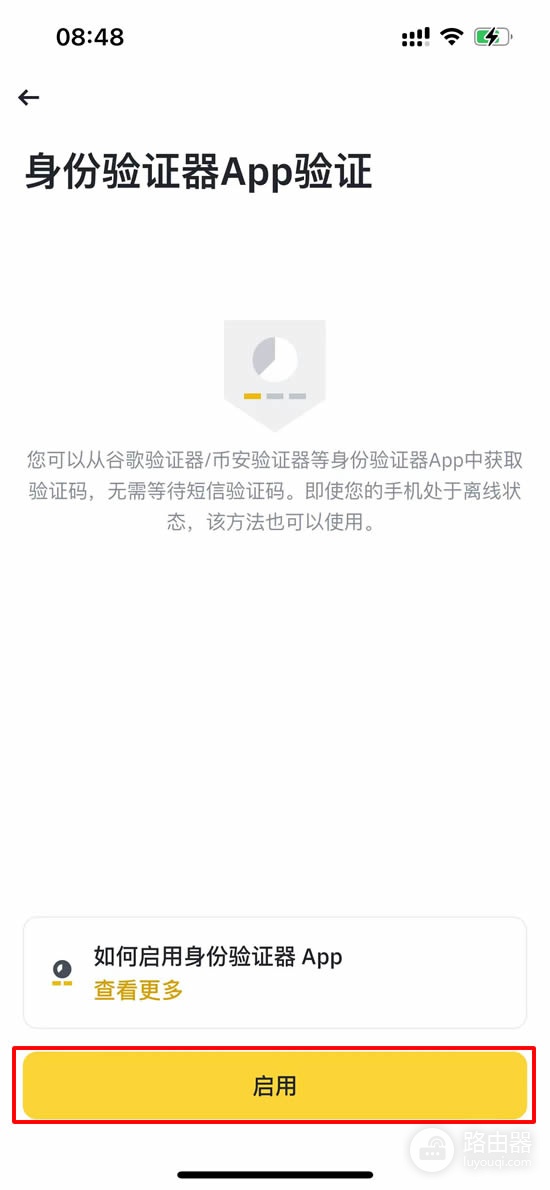
保证安装了Google Authenticator或币安身份验证器后,点击【启用】。
屏幕会显示一个16位密钥(二维码),请立即用纸笔抄写并妥善保管该密钥(切勿仅截图存手机),这是设备丢失或更换时恢复Google Authenticator的唯一可靠方式。
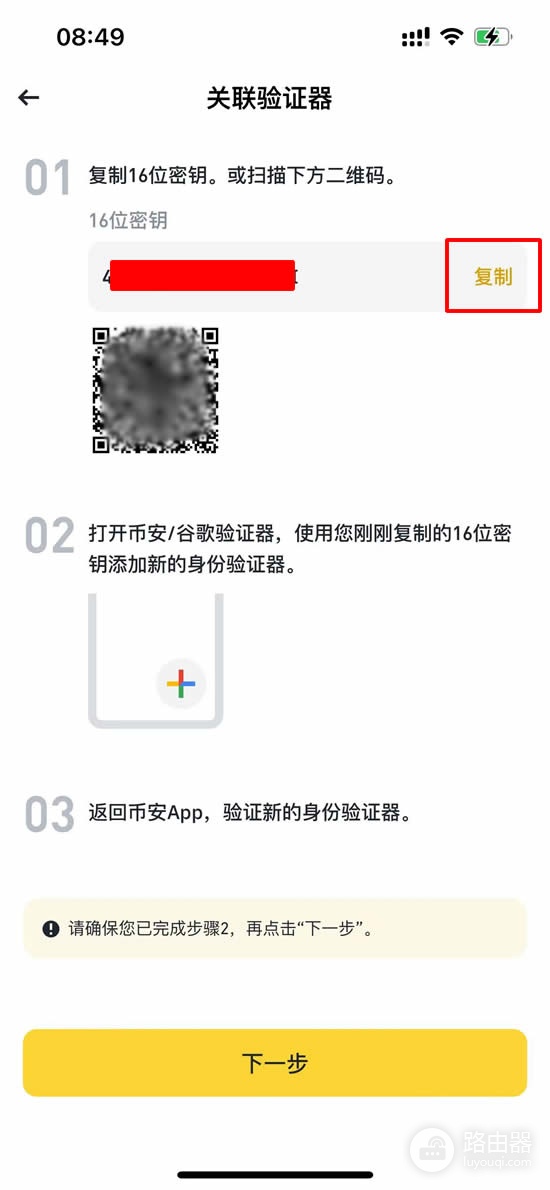
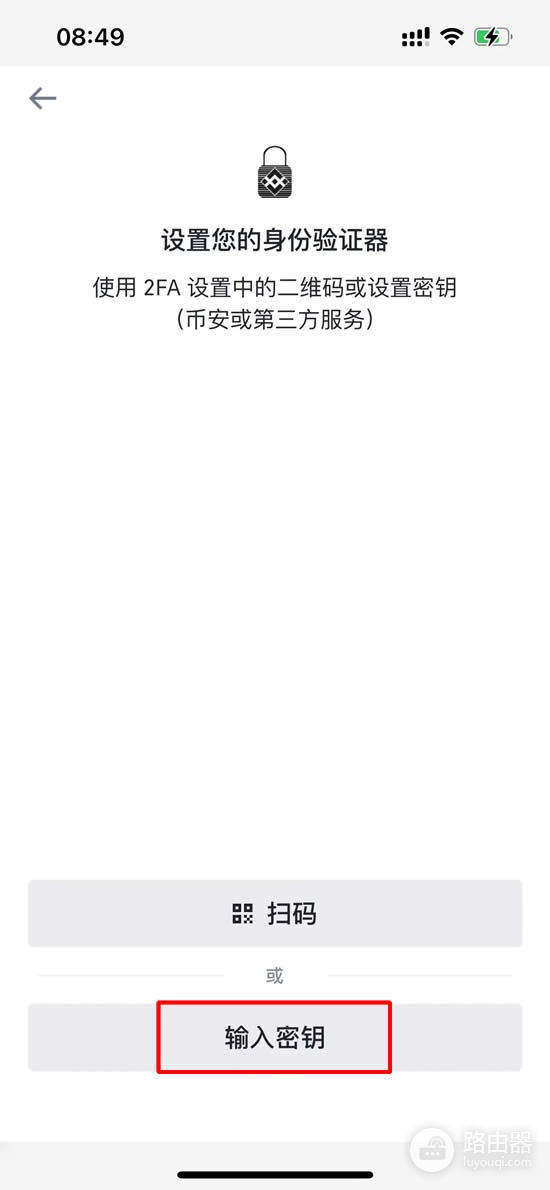
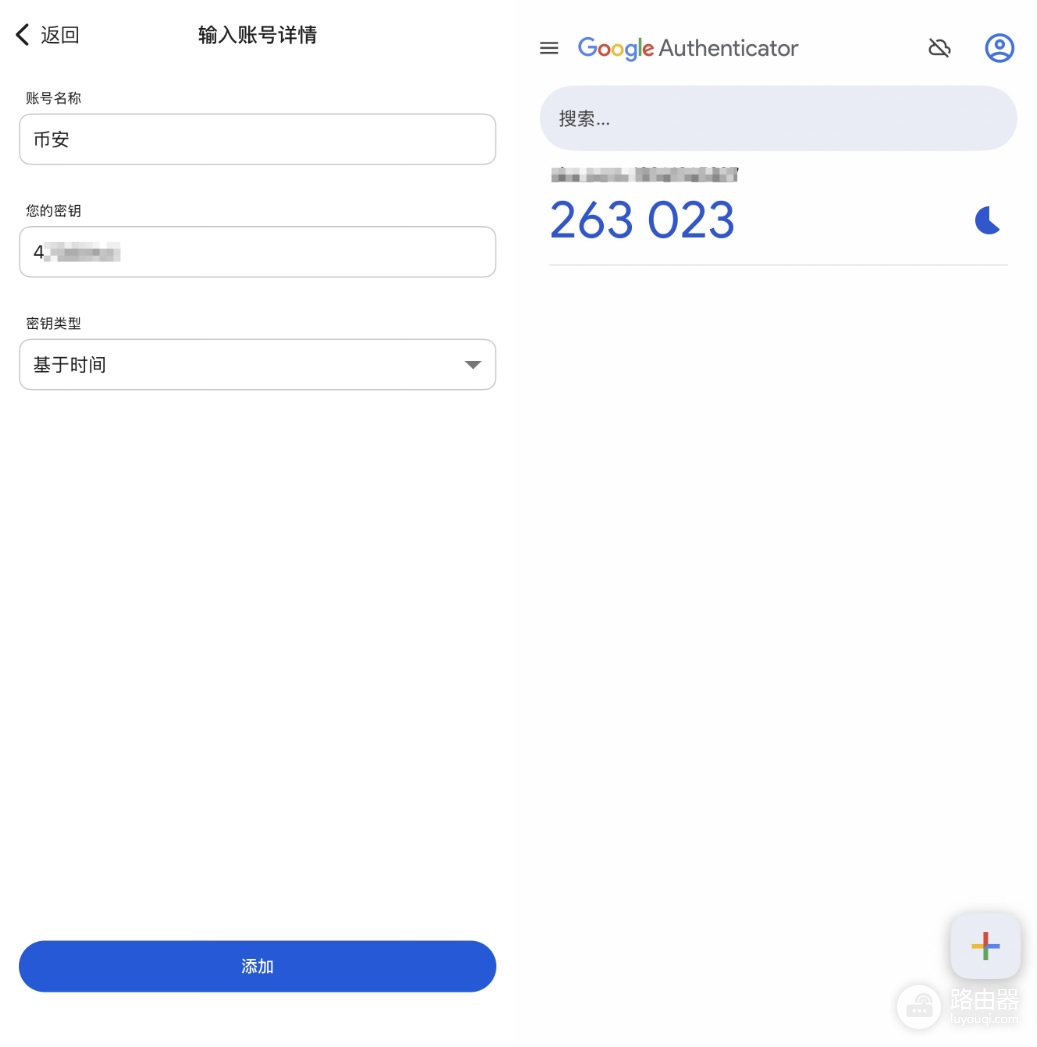
打开Google Authenticator,输入密钥,并为账户起个名字,这有助于管理多个账户。
完成后,你会看到一个6位验证码。
回到币安App,输入6位数验证码并点击【提交】。
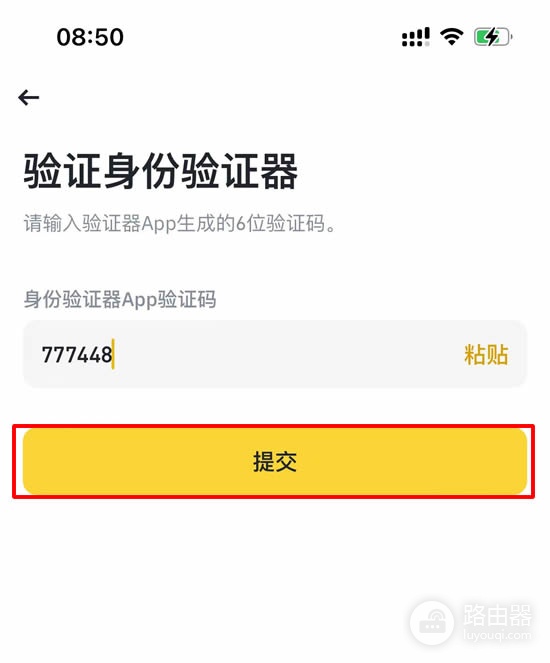
启用Google Authenticator后,将需要在登录账户或提取资金时输入这6位数验证码。
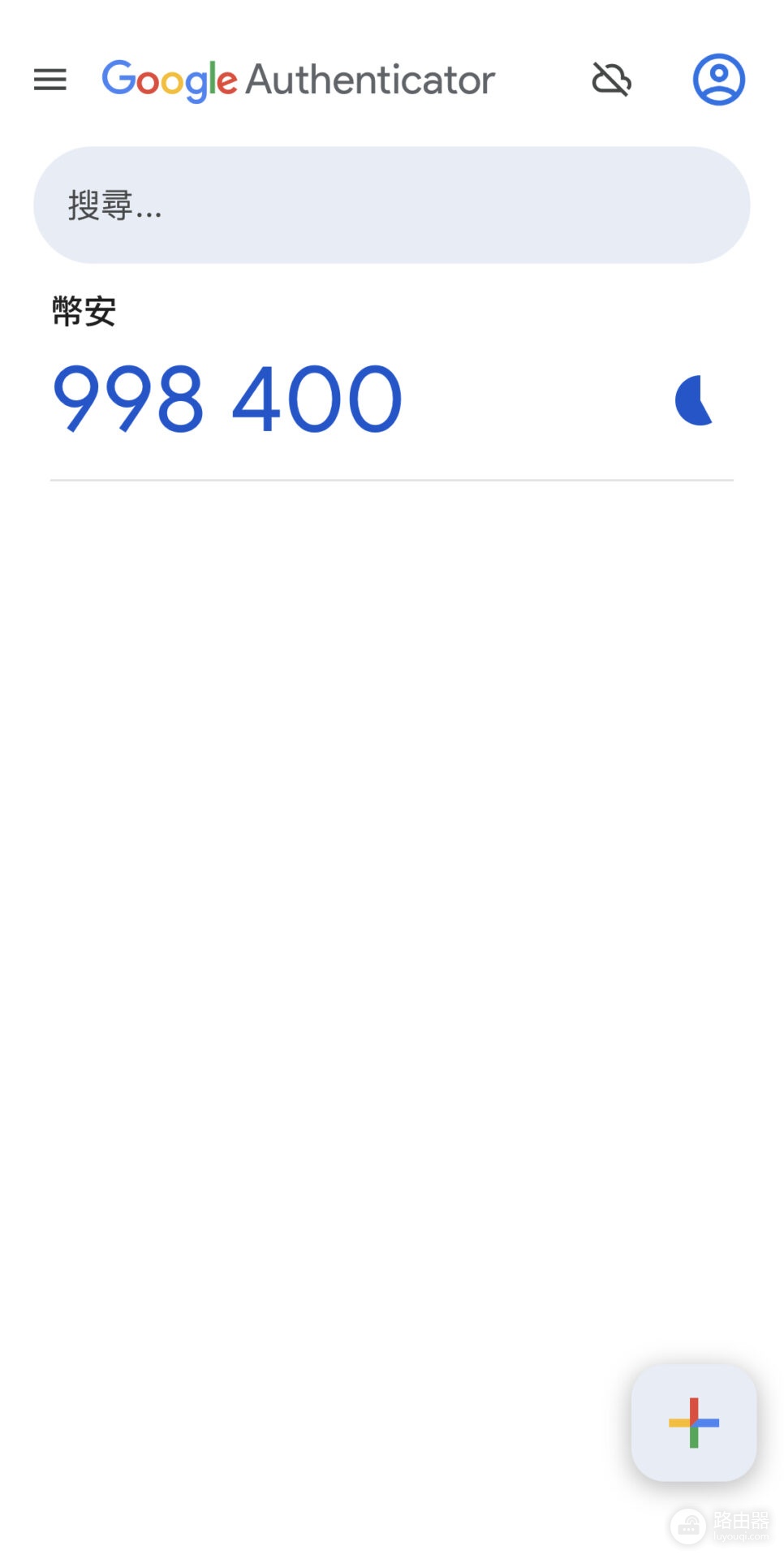
使用Google Authenticator时的注意事项
【保管好手机】
验证码由手机生成,务必妥善保管设备。
【备份设置】
更换手机时,务必提前使用“转移账户”功能或手抄备份的16位密钥完成迁移,否则可能永久丢失对绑定账户的访问权限。
【同步时间】
保证手机时间与网络时间同步,否则可能导致验证码无效。
Google Authenticator 2FA转移/备份方法
1、在旧手机打开Google Authenticator,点击右上角菜单(或个人头像),选择“转移账户”或“Transfer codes”。
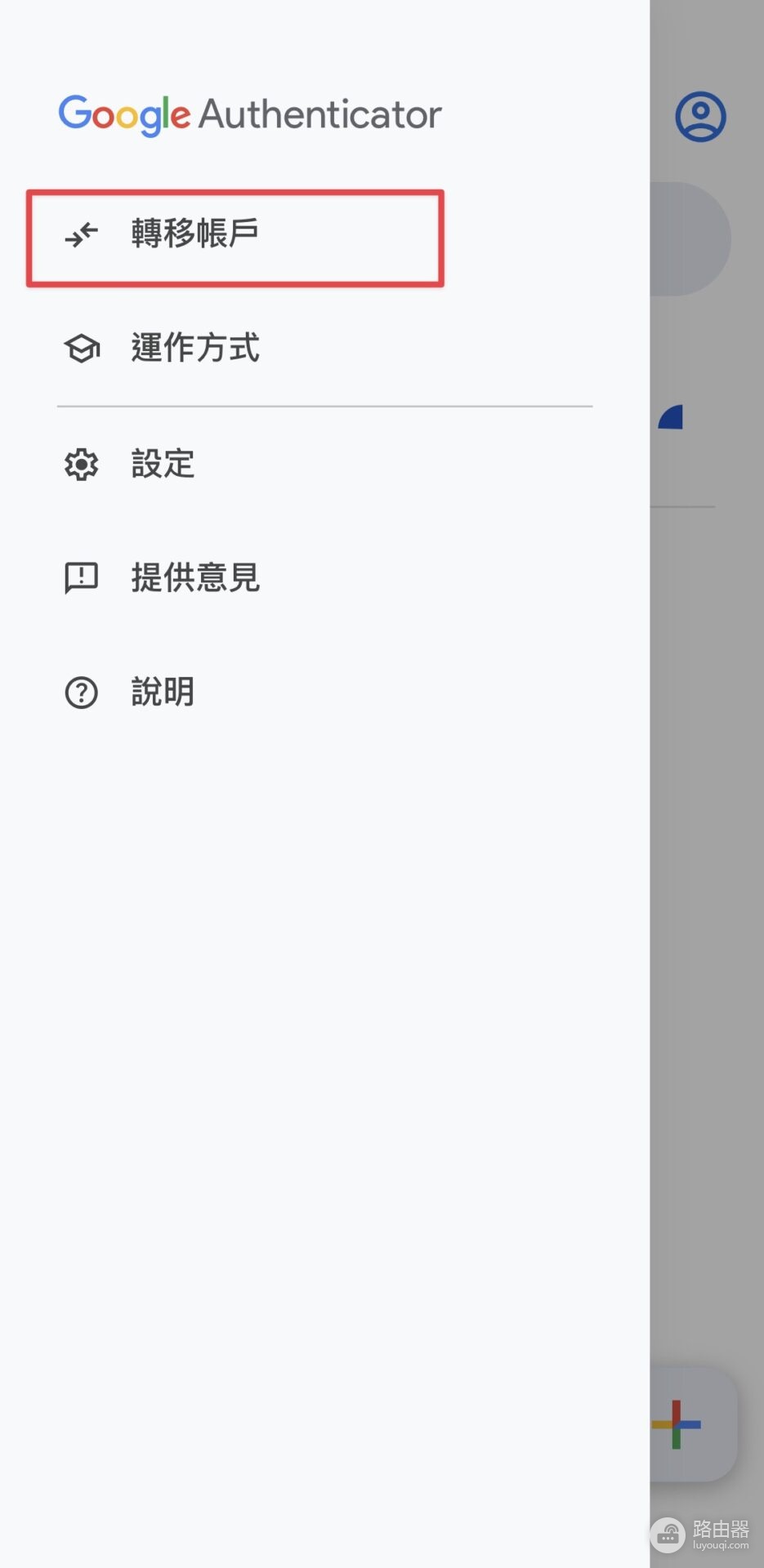
2、选择“汇出账户/Export accounts”。
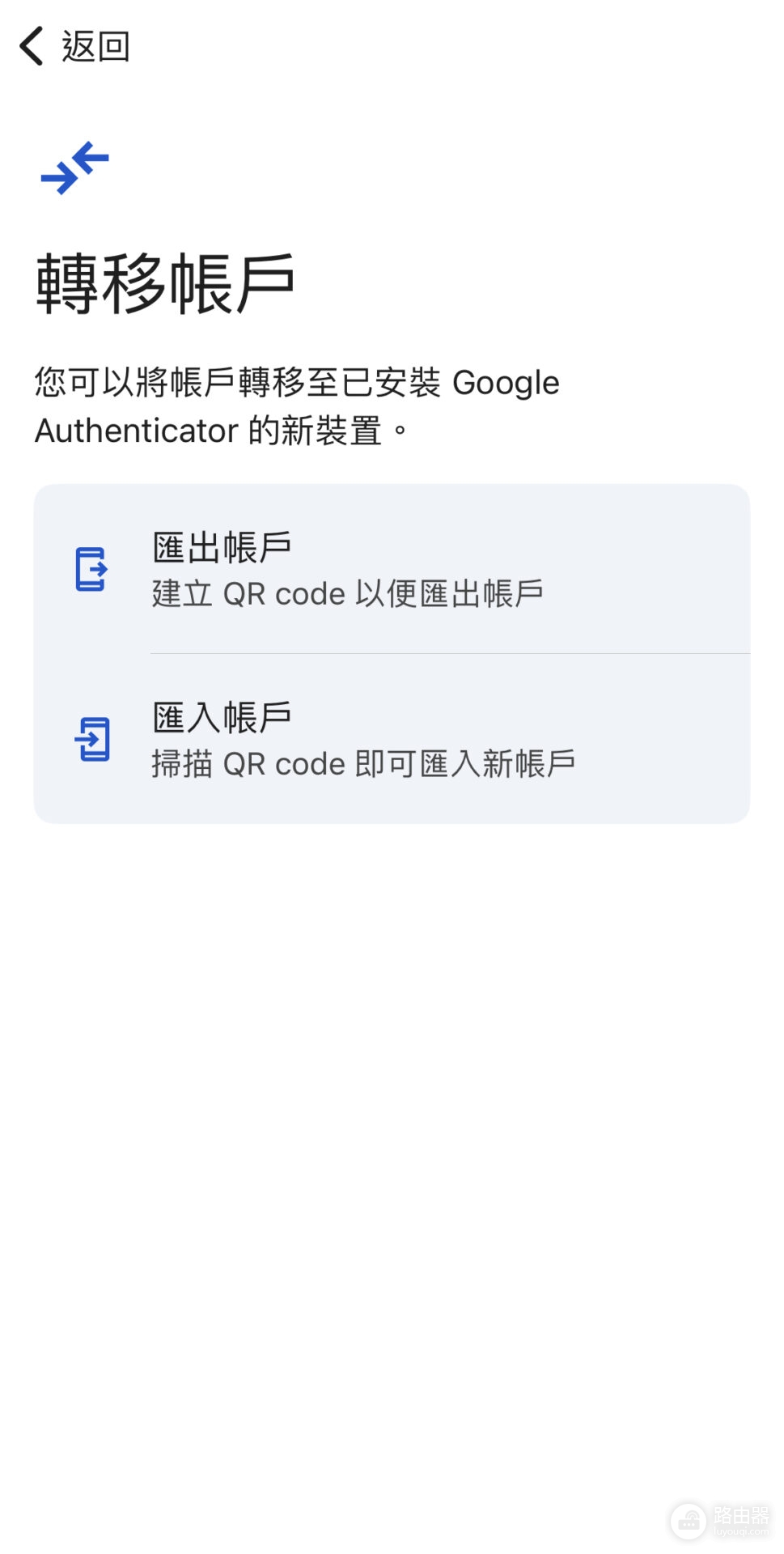
验证身份后勾选需要转移的账户,生成二维码。
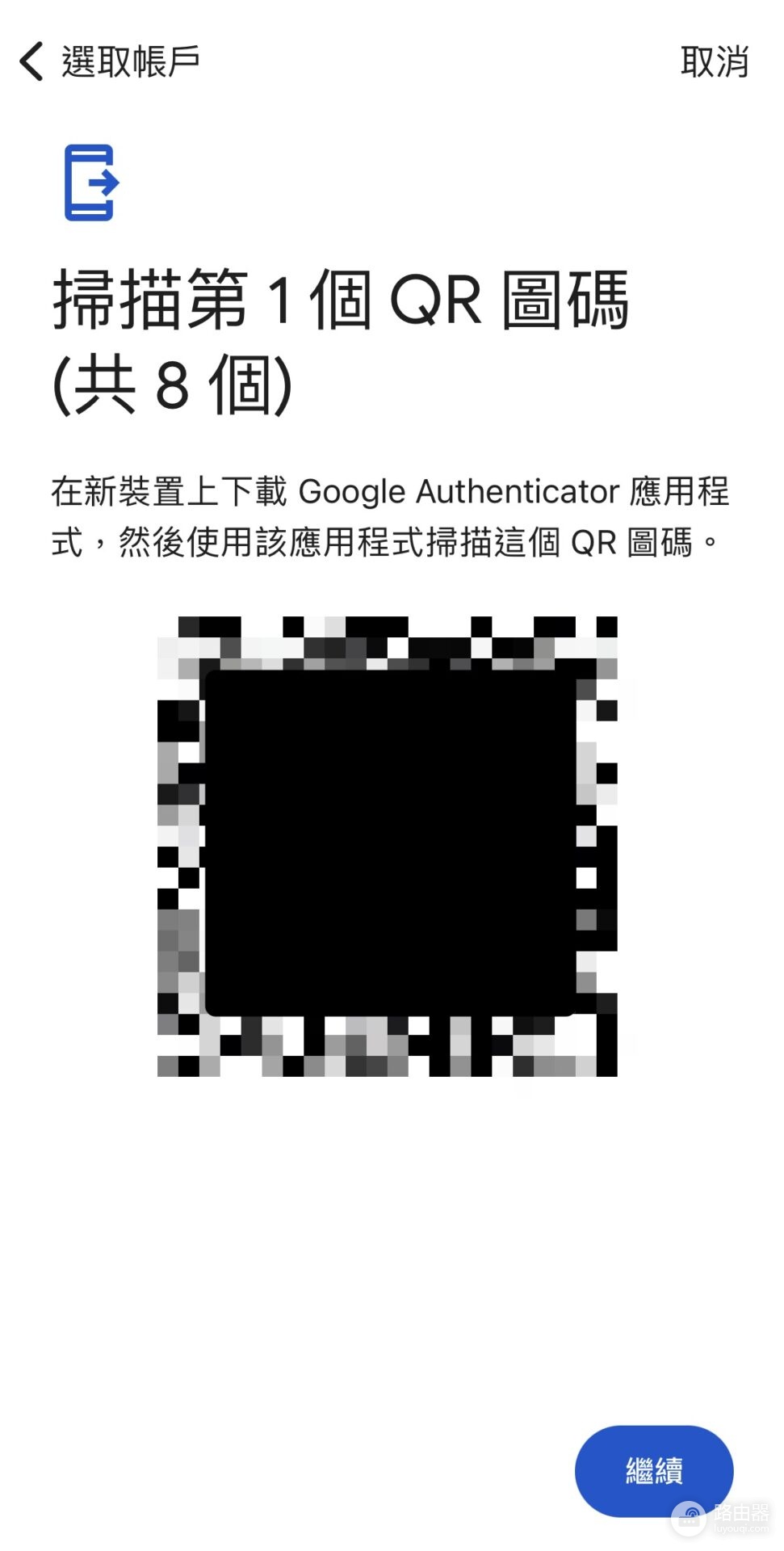
3、在新手机打开Google Authenticator,选择“导入账户/Import accounts”,扫描旧手机上的二维码即可完成转移。
使用Google Authenticator时的其他建议
1、账户转移
更换手机时,使用“转移账户”功能,将账户迁移至新设备。
2、避免截图二维码
除非备份,否则避免截图并存储二维码,以降低被黑客攻击的风险。
3、保护设备
使用密码或生物识别解锁手机,防止未经授权访问Google Authenticator。
4、同步时间
保证手机的时间是自动同步的,否则验证码会无效。
5、检查伪造服务
保证只从官方网站或应用扫描二维码。
为什么需要2FA验证?
1、增强账户安全性
传统的账户密码在复杂的网络环境下已经不够安全,Google Authenticator提供额外的安全层,每个验证码仅有效30秒,并且只能由绑定的设备生成,大大降低了账户被盗用的风险。
2、防止密码泄露
即使密码被泄露,攻击者也无法通过没有Google Authenticator生成的验证码登录账户。
3、适用于多个平台
除了Google服务,像Facebook、Twitter、Instagram等知名平台也支持Google Authenticator,它还能同时管理多个账户,无需安装多个应用。